← ALL PRODUCT STORES

MICROSOFT STORE

Useful apps
for Windows.

Practical desktop tools for Windows that keep your data on your own PC.

01

PRODUCTIVITY APP FOR WINDOWS

Chat Saver for Microsoft Teams

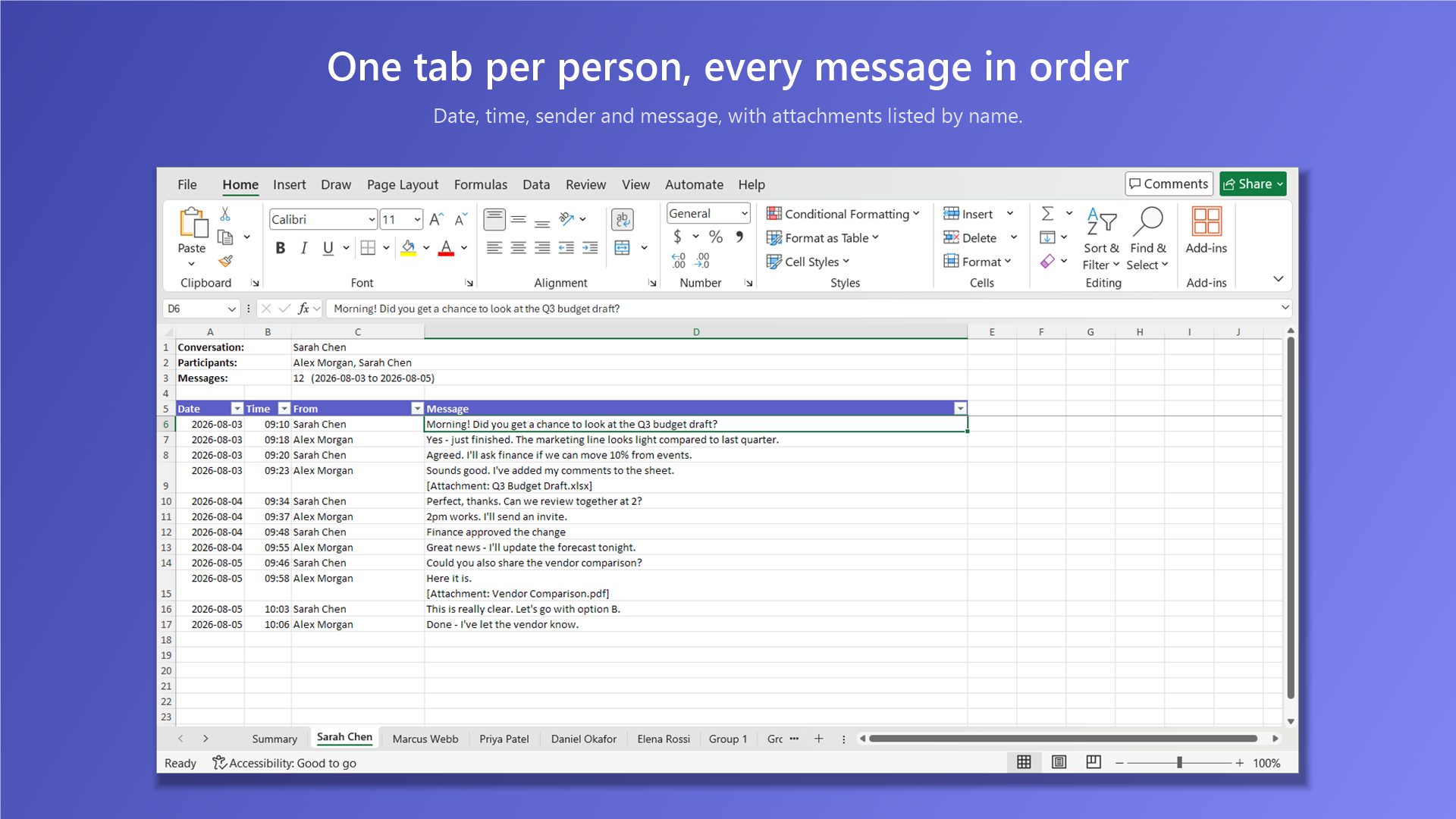
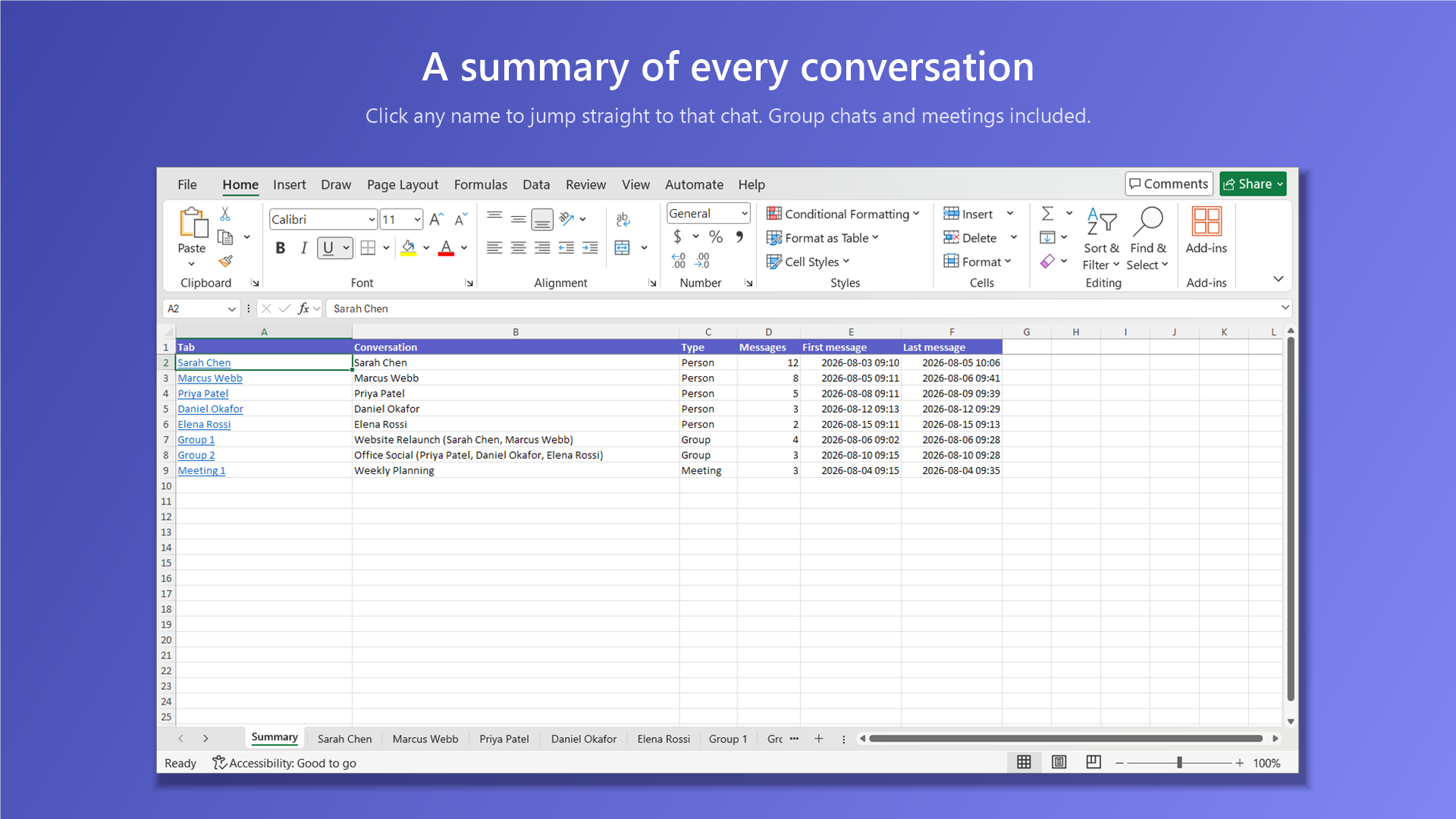
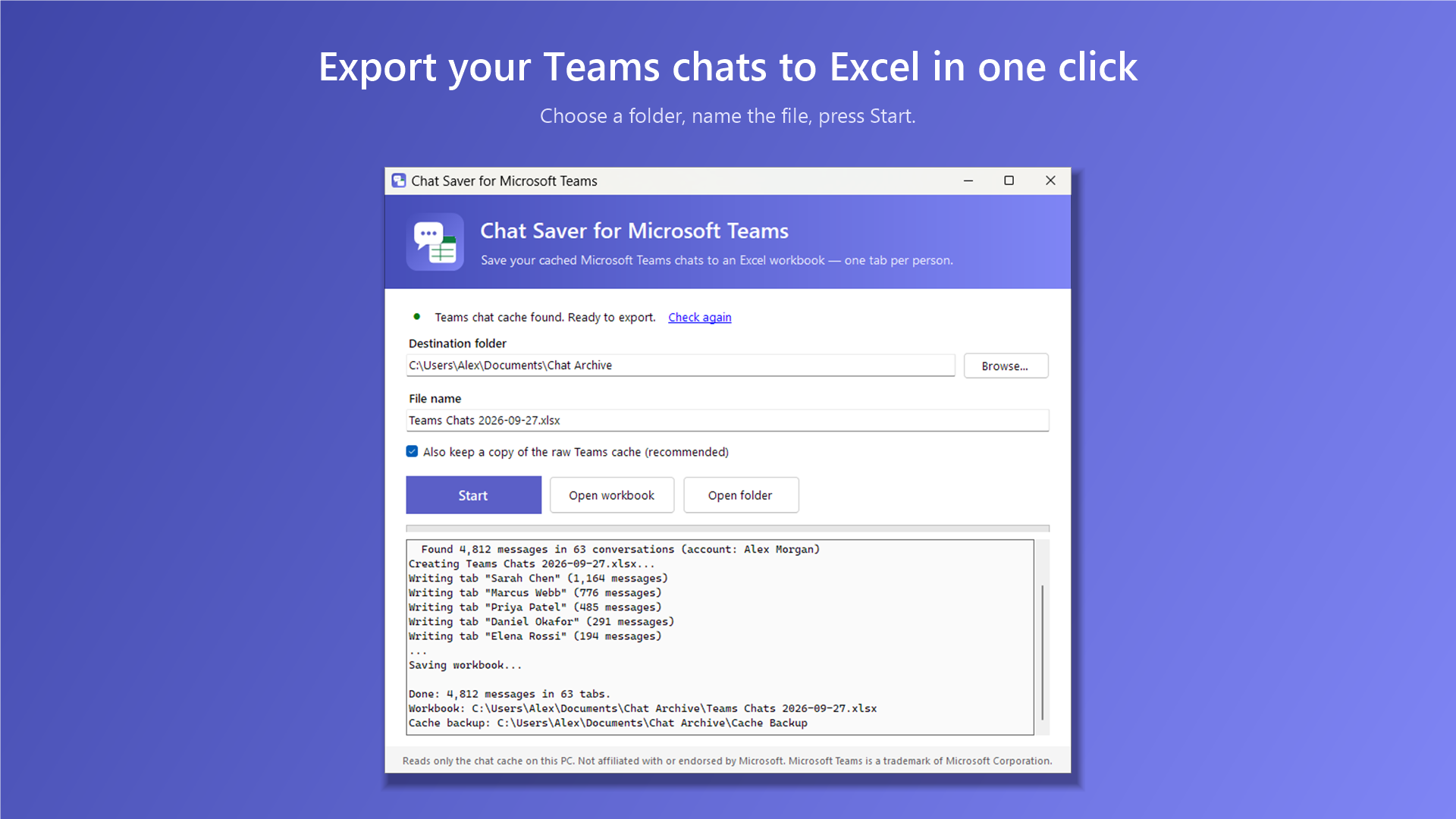
Save the chats that the new Microsoft Teams has stored on your PC into a tidy Excel workbook: one tab per person, every message in date order, and a summary of every conversation. Works offline, even after you have signed out.

COMING TO MICROSOFT STORE

02

REPAIR UTILITY FOR WINDOWS

Update Repair Tool for Windows

Windows Update stuck or failing? Run a guided repair or choose individual steps, with live service status and a console that shows what is happening.

COMING TO MICROSOFT STORE

WHAT YOU GET

Your Teams chats,
ready in Excel.

  • Summary sheet lists every conversation with message counts and dates. Click a name to jump to that chat.
  • One tab per person for one-to-one chats, plus group chats, meeting chats and channels.
  • Participants at the top, then Date, Time, From and Message columns with filters.
  • Attachments listed by name, so you can see what was shared and when.
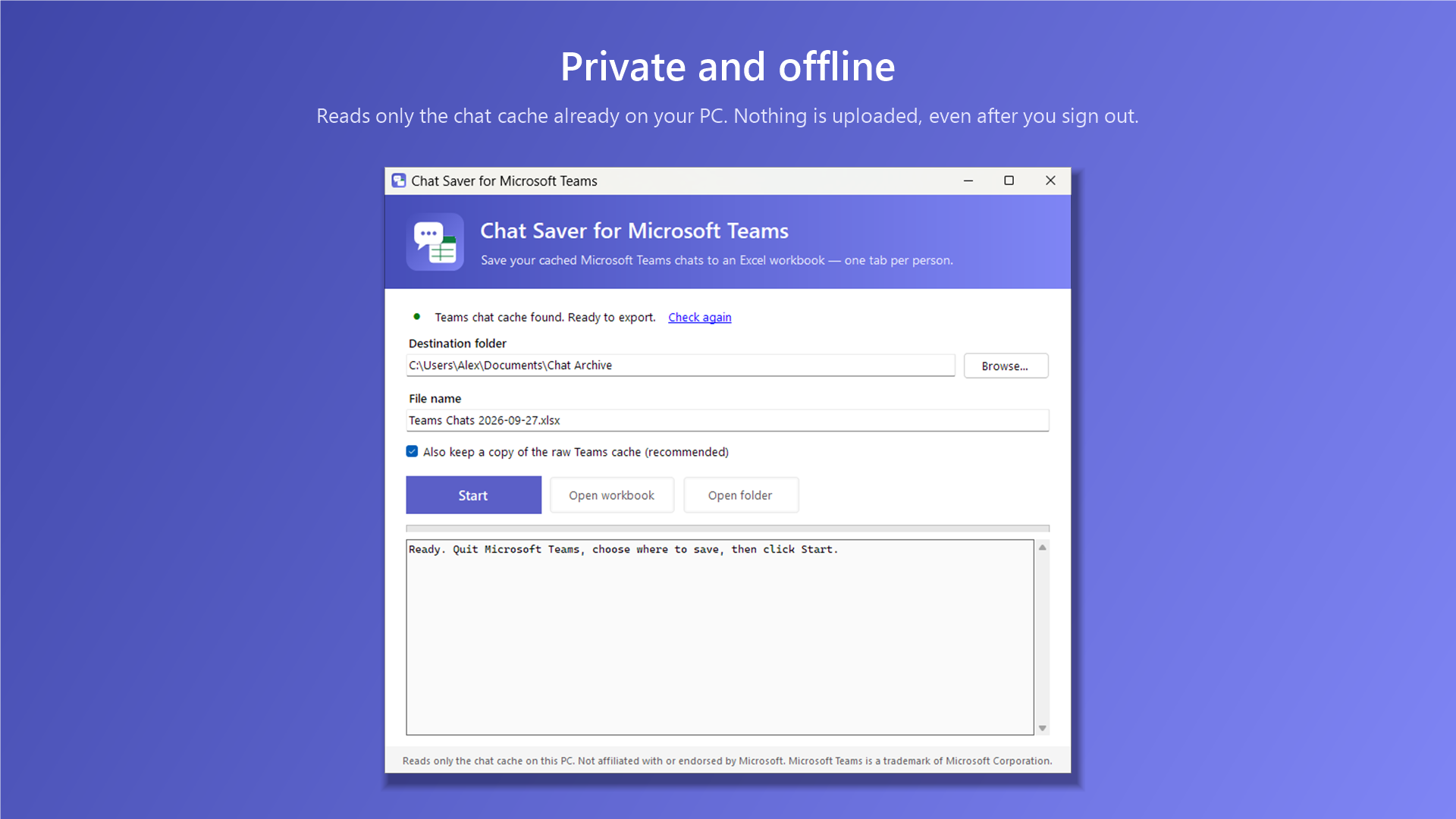
  • Private and offline. Nothing is uploaded, and Teams' own data is never changed.

Works with the new Microsoft Teams for Windows. It exports what Teams has cached on your PC. Not affiliated with or endorsed by Microsoft.

Chat Saver window with destination folder, file name and Start button Excel workbook with one tab per person and messages in date order Summary sheet listing every conversation Chat Saver works offline using only the chat cache on your PC

UPDATE REPAIR TOOL FOR WINDOWS

Get updates
moving again.

  • Full repair or individual steps. Use Perform All to run the repair sequence, or select the tool you need.
  • Repair common update problems. Restart update services, clear the cache, rebuild update folders, sync the clock and reset update policies with a backup.
  • Optional system file repair. Run Windows DISM and SFC tools to check and repair system files.
  • See the current status. Monitor update services, restart status, available disk space and update history alongside the live console.
  • Export a support report. Save update and repair logs locally on your Desktop to review or share yourself.

Requires administrator rights. Full repair attempts to create a System Restore point before making changes. Developed by DooToob; not affiliated with or endorsed by Microsoft.

Update Repair Tool blue icon with update arrows and a check mark

Built-in Windows repair tools. One clear control panel.