Hardware & upgrades
PC Upgrade Xray
See your PC. Plan your next move.
Know your rig before buying parts. Inspect RAM, SSDs, CPU, GPU and motherboard details, explore upgrade research links and save hardware reports—for gamers, PC builders, upgraders and desktop technicians.
Published · In Microsoft Store · Product ID 9PHWJDDKFX32

The current Microsoft Store listing
What you can do.
Know your rig. Plan your next upgrade.
Before you buy more RAM, a larger SSD or a new graphics card, get a clearer picture of the PC you already own. PC Upgrade Xray brings Windows-reported hardware details and upgrade research links into one desktop workspace—for gamers, PC builders, upgraders and desktop technicians.
For Gamers: Start With Your Current Hardware
See your processor, graphics adapters, memory and storage together. Check the components behind your setup before researching your next upgrade. Use model names and manufacturer searches to investigate options for your games and workload.
For Builders And Upgraders: Check Before You Spend
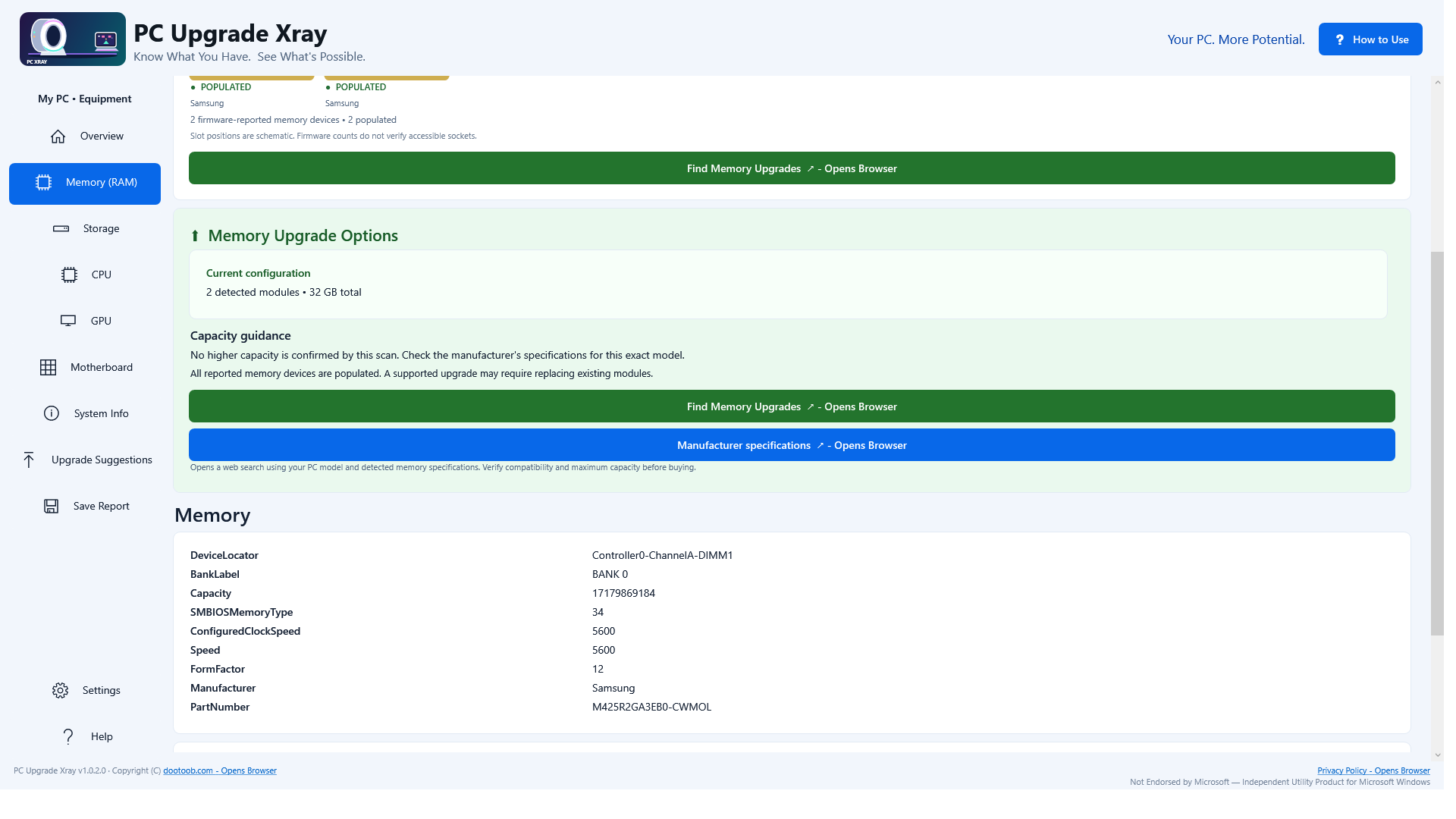
Review detected RAM capacity, memory type, speed and module details. View firmware-reported memory-device counts and capacity limits, with guidance on what still needs checking. Explore storage models, reported connection/media types, capacity and volume free space when planning your game library or next SSD.
Look Beyond Ram And Storage
Find CPU, GPU, motherboard, BIOS and Windows information without hunting through several Windows tools. Follow upgrade paths for processor, graphics, networking and other components. Manufacturer-specification and service-manual searches help you investigate the exact PC or board. Desktop and laptop upgrades have different limits; the app explains the checks to make.
For Desktop Technicians: Turn A Scan Into A Handy Reference
Collect the hardware details Windows exposes in one place. Copy specifications, rescan when needed and save a hardware report to keep with your notes or share with a customer or colleague. Equipment views and product-research links help you follow up on detected model numbers.
A Practical Starting Point
Open the app, review the scan, choose a component and follow the research links you need. The built-in How to Use guide walks through scanning, researching and saving reports. The app reads hardware information; it does not replace components or apply performance tuning.
Local Scanning, Optional Online Research
Hardware scanning runs locally. Selected web searches open your browser. Where optional Google Gemini research is available, it requires your own API key and your explicit action to send reviewed hardware details to Google. Google service eligibility, usage limits and charges may apply. Ordinary hardware scanning does not require AI research.
Before Buying Parts
Windows and firmware may report incomplete or inaccurate information. Empty memory slots are inferred, and firmware-reported maximum RAM is not a manufacturer-verified compatibility limit. Some components are soldered or use proprietary connections. Confirm socket and BIOS support, memory standard, physical fit, available slots, power supply and connectors with the manufacturer or service manual. Search results and upgrade suggestions are research leads, not guaranteed-compatible parts.
PC Upgrade Xray does not benchmark games, measure FPS or guarantee a performance increase. “Xray” is a marketing name for examining hardware information—not physical X-ray imaging.
Know what you have. Make your next upgrade a better-informed choice.
An independent Windows utility by DooToob / Team2020. Not affiliated with or endorsed by Microsoft.
How to use
From opening the app to a useful result.
- 1
Run a scan to collect Windows-reported CPU, GPU, memory, storage and motherboard details.
- 2
Open each category and review what Windows and firmware report.
- 3
Use the research links to confirm limits for the exact PC model.
- 4
Export a report before shopping; physically verify compatibility before purchasing parts.
See it before you get it
Explore the app.
All 10 screenshots from the current Store listing. Select any image for the full-size original.
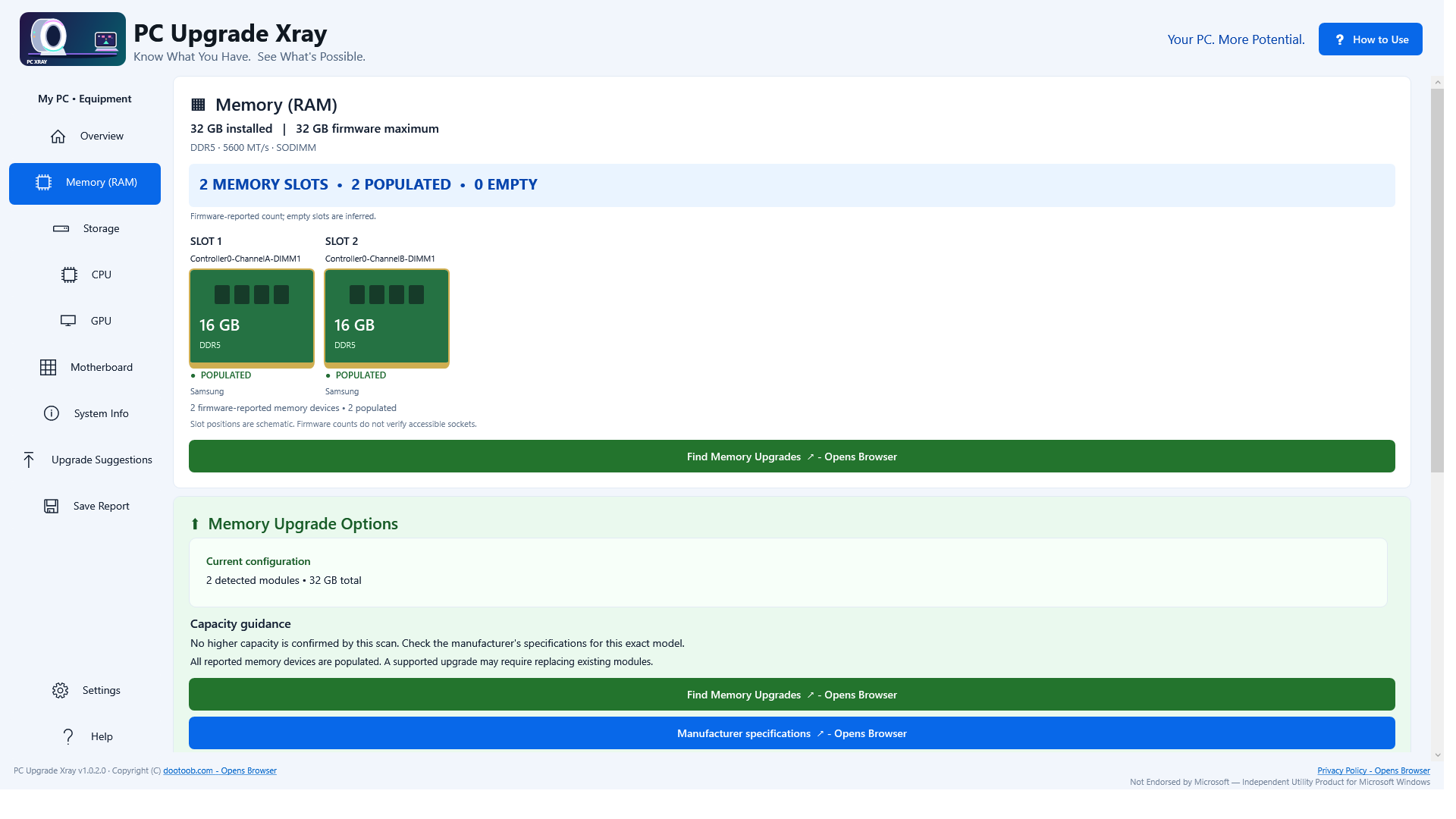
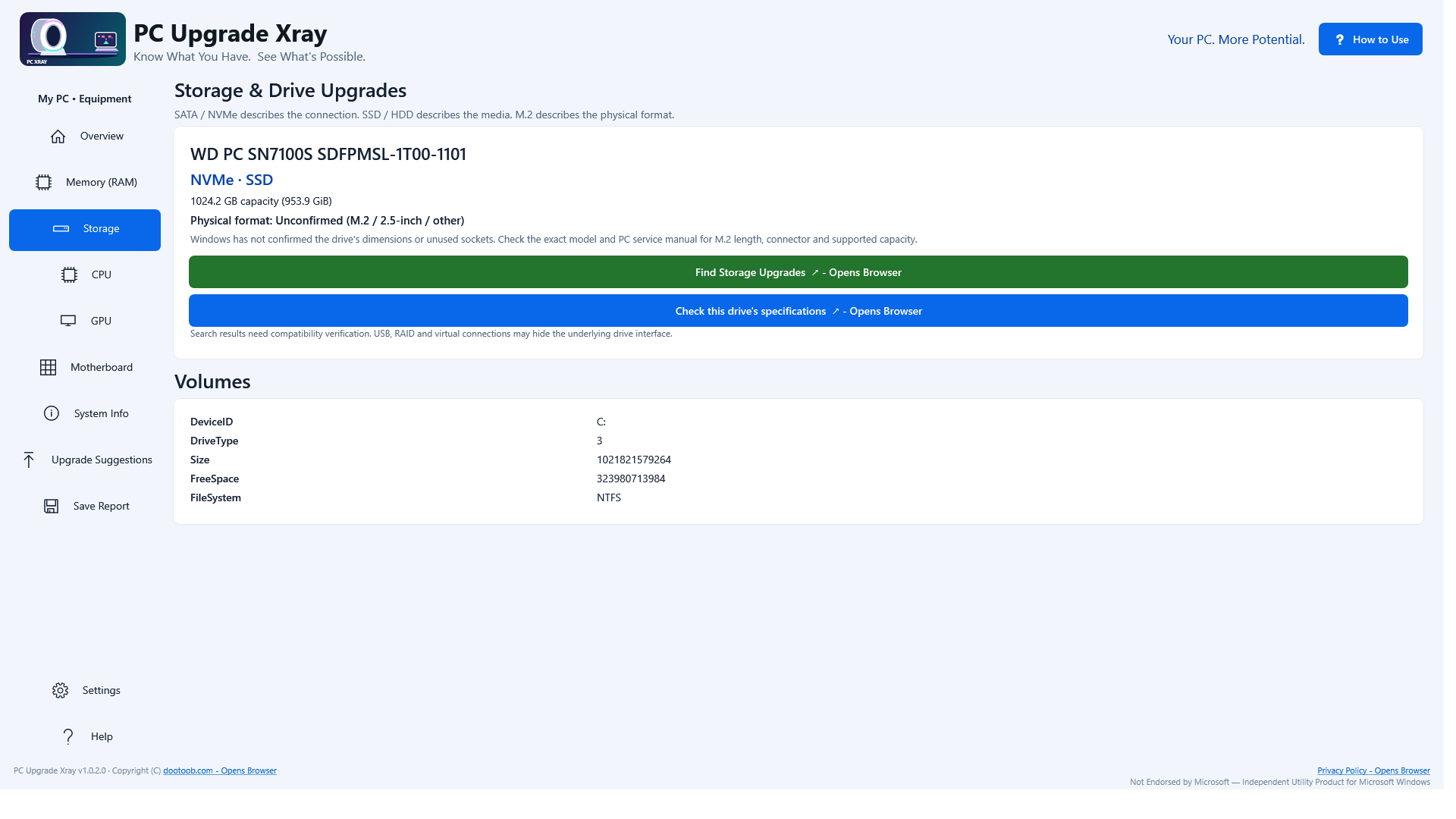


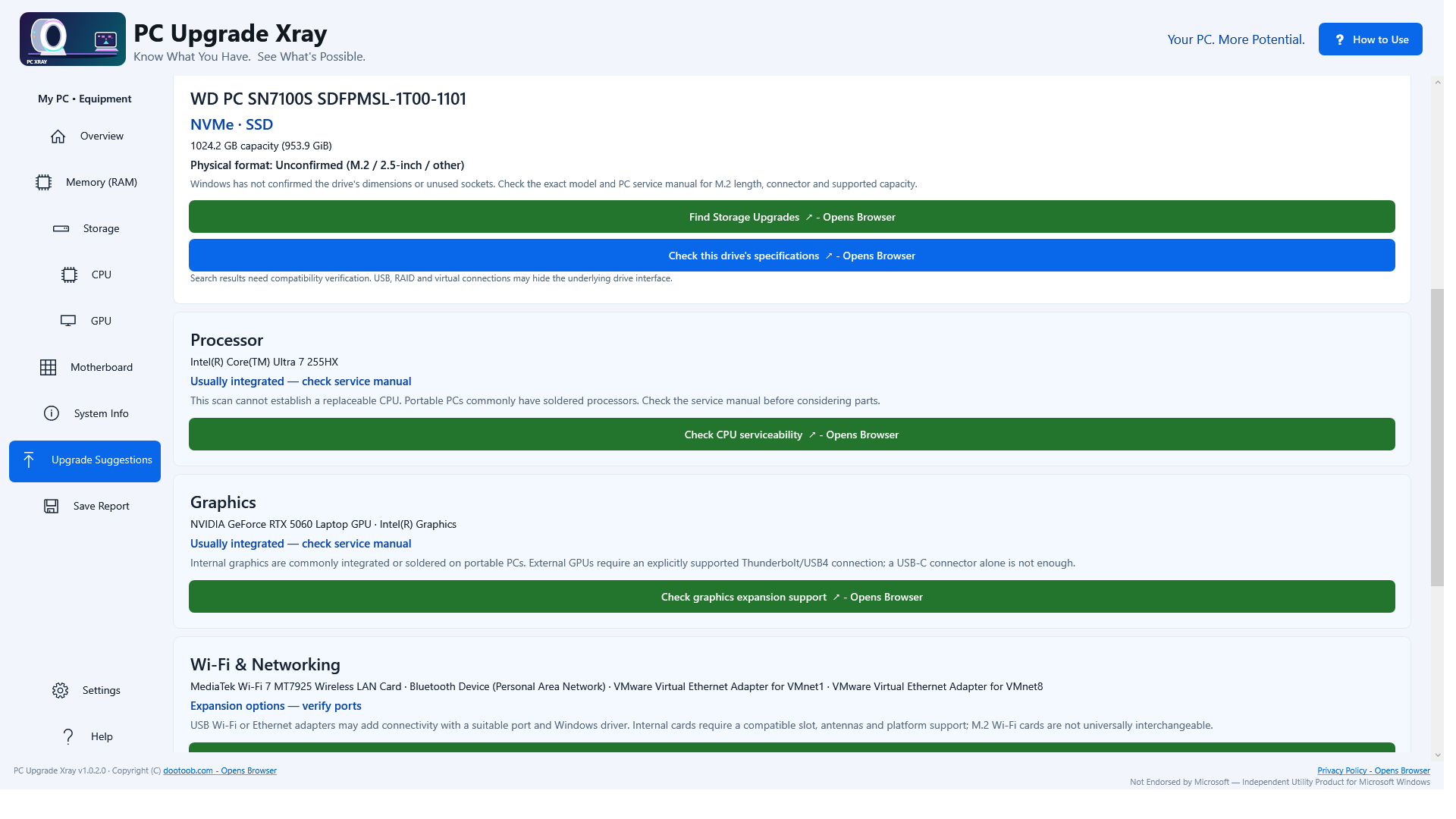
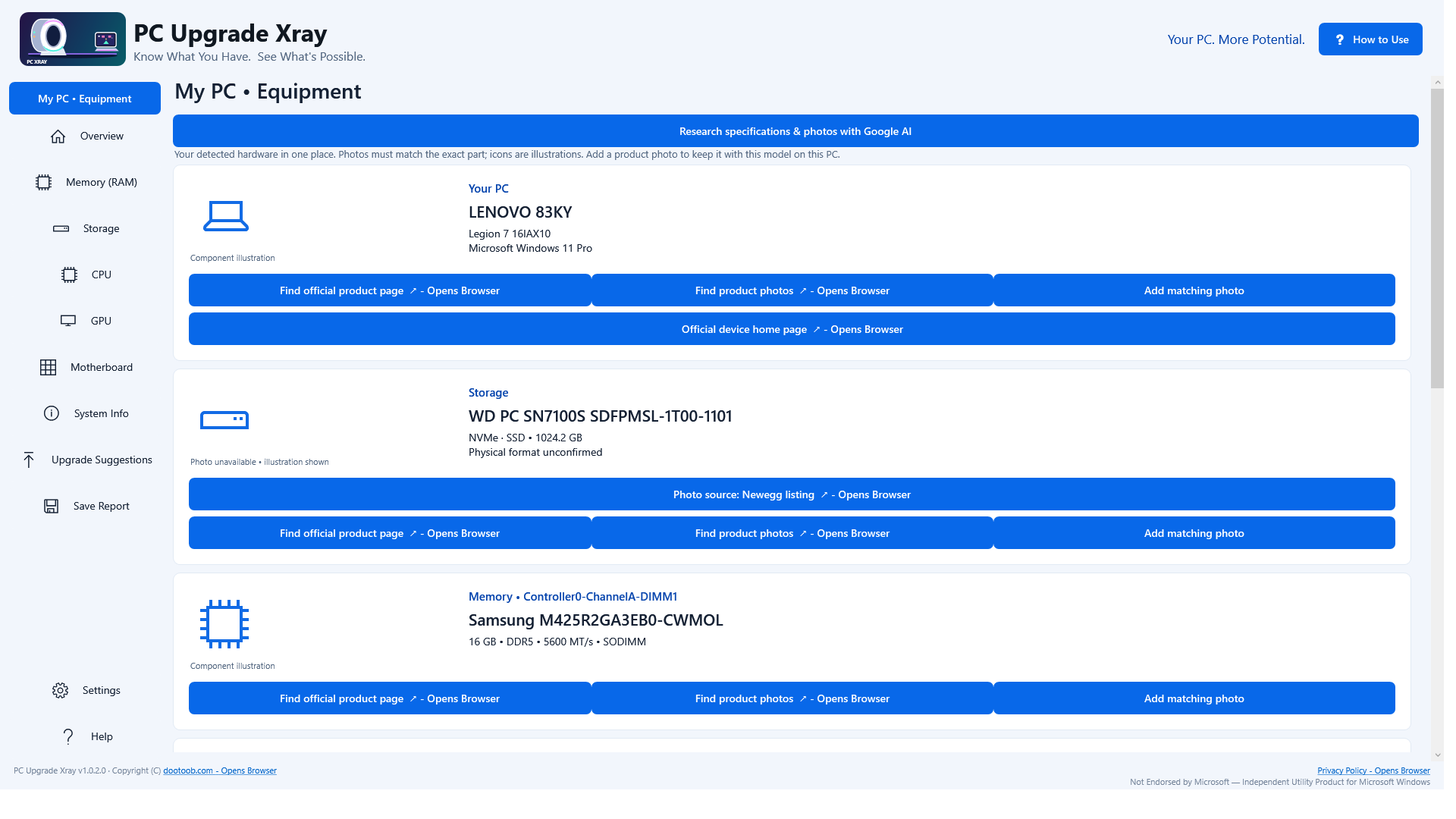
Open the Microsoft Store listing to see the current price, trial options, system requirements and reviews.
Your purchase and installation are handled by Microsoft Store.
App details.
Publisher: Team2020. Availability, requirements and purchase options are shown on the live Microsoft Store page.
App information and screenshots checked against the public Store listing on October 20, 2026.
Read the full Store listing ↗ · Privacy informationPC Upgrade Xray
See your PC. Plan your next move.
Get it in Microsoft Store ↗← Explore all Microsoft appsMore from DooToob