Bilingual chat archive
Chinese English Chat Save for Microsoft Teams
Give Chinese- and English-speaking users the same opportunity to find, review, translate and preserve supported locally available chats.
Give Chinese- and English-speaking users the same opportunity to find, review, translate and preserve supported locally available chats.
Published · In Microsoft Store · Update awaiting release · Product ID 9NRK0SQ5THBL

What it does
Chinese English Chat Save for Microsoft Teams
Give Chinese- and English-speaking users the same opportunity to find, review, translate and preserve supported locally available chats.
This page is based on the app’s own help material and current Partner Center record. Availability, pricing and release timing can change in Microsoft Store.
How to use
From opening the app to a useful result.
- 1
Choose English or Simplified Chinese for the interface.
- 2
Select a supported local cache or backup and search the readable messages.
- 3
Review senders, dates and surrounding context in Chat Viewer.
- 4
Choose English-to-English, Chinese-to-Chinese, Chinese-to-English or English-to-Chinese, then export PDF or Excel.
Inside the app
See the workflow.
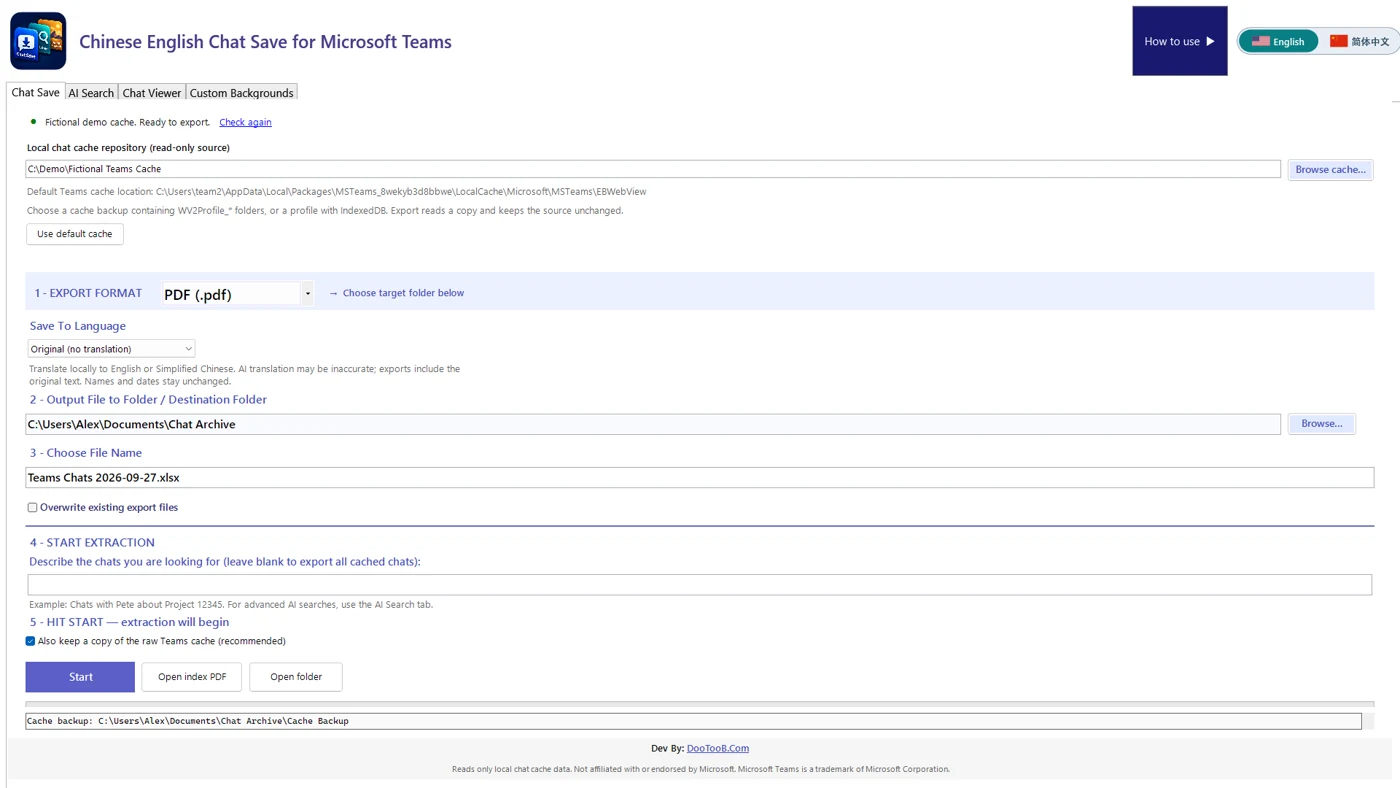
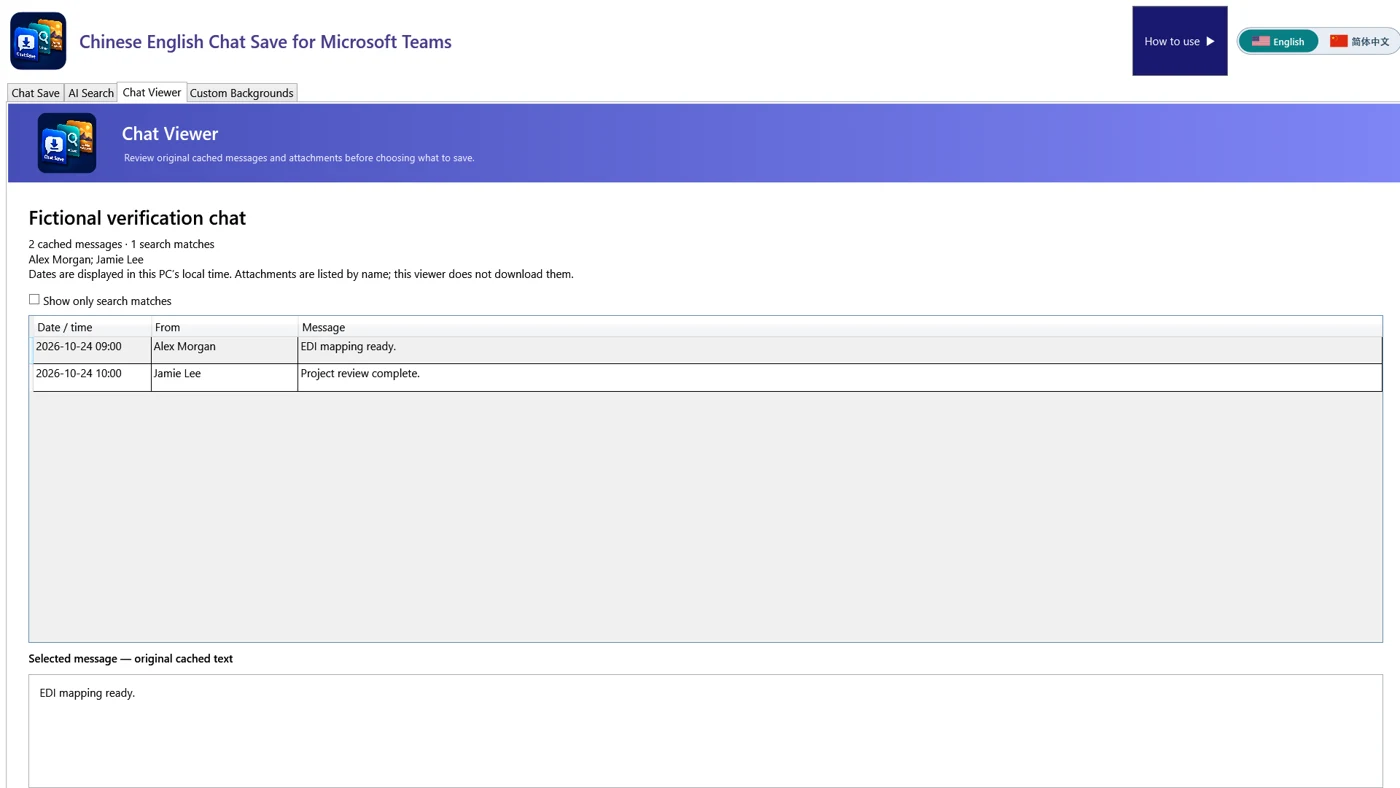
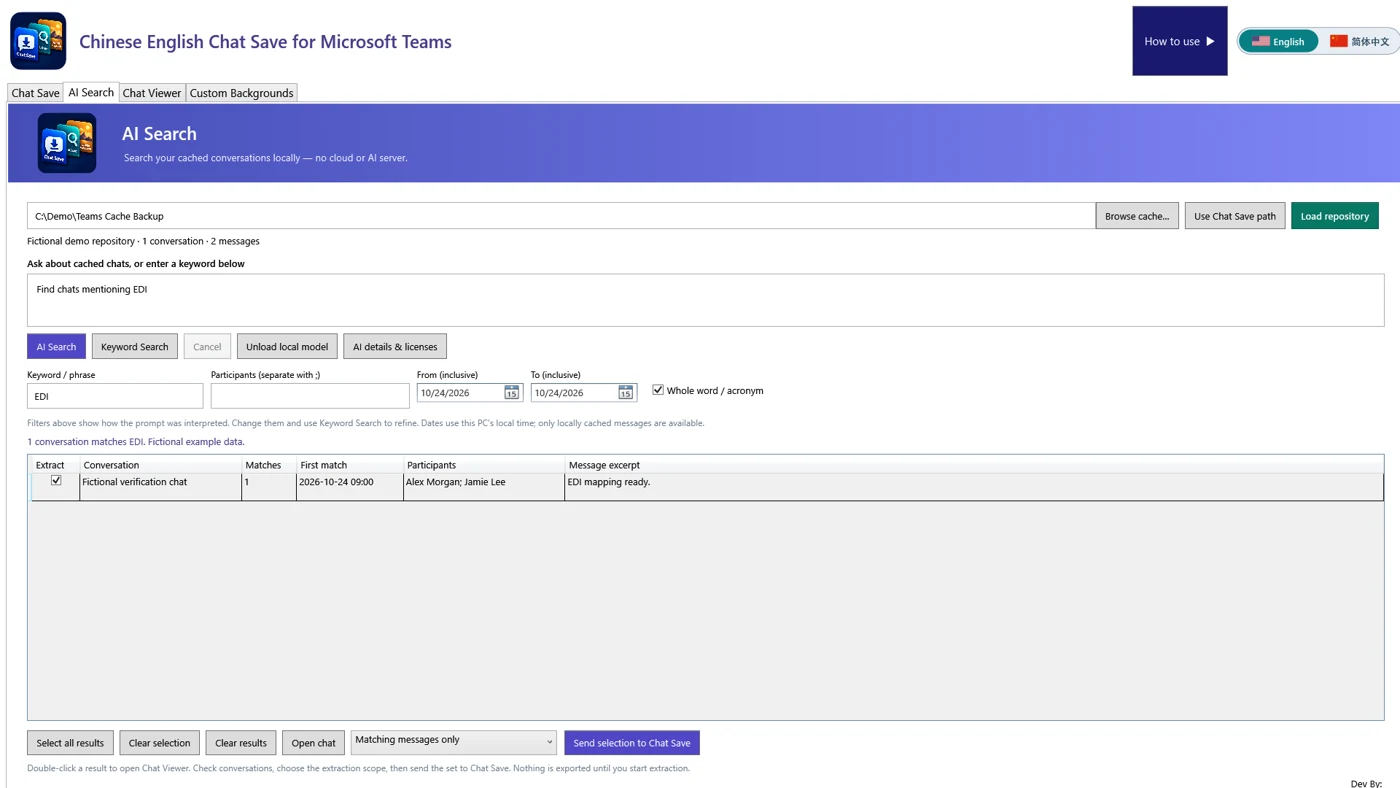
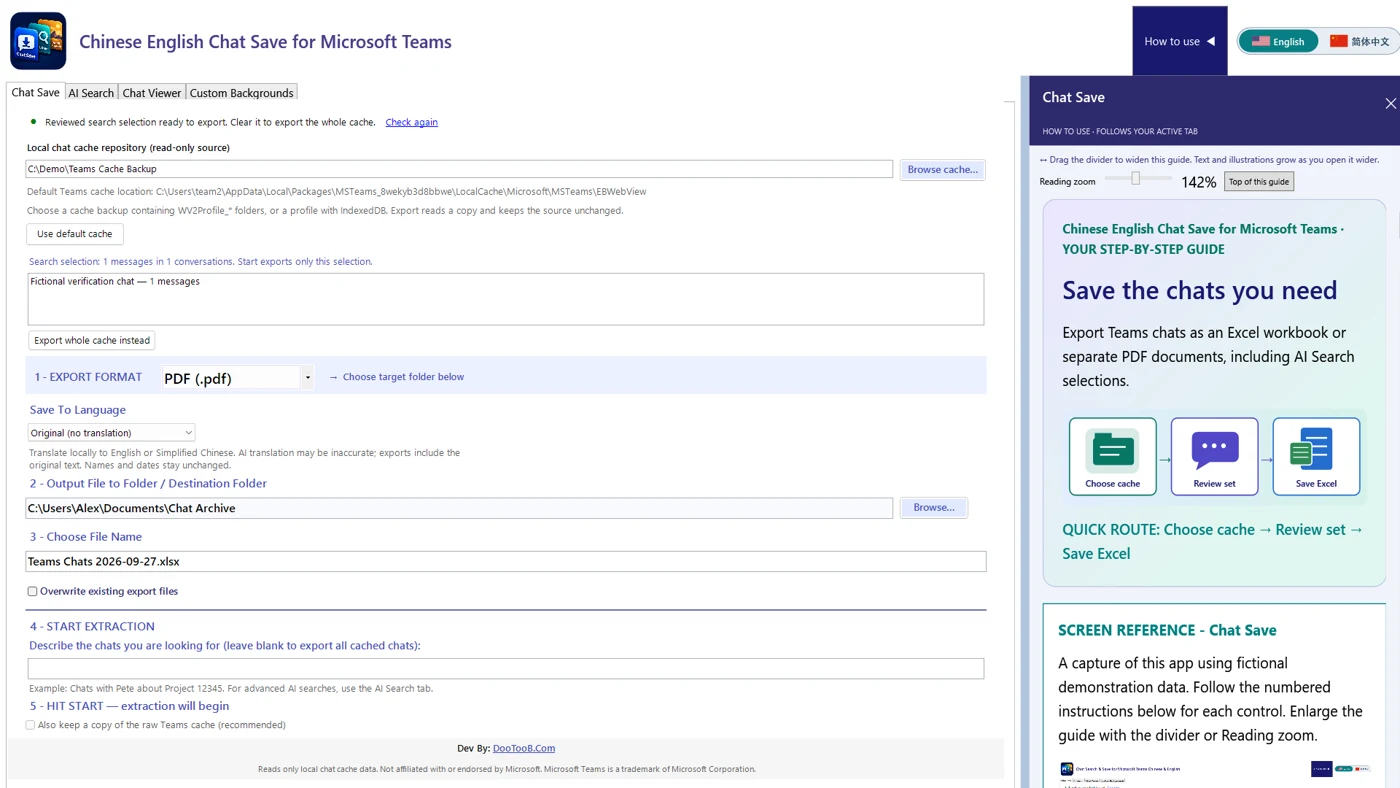
Chinese English Chat Save for Microsoft Teams
Give Chinese- and English-speaking users the same opportunity to find, review, translate and preserve supported locally available chats.
Get it in Microsoft Store ↗← Explore all Microsoft appsMore from DooToob