PC, console and gaming deals
PC Deal Finder
Find the deal. Skip the tab overload.
Compare PC, gaming, laptop and console deals across 30+ major retailers—all in one Windows app.
Pending · Not submitted · Product ID 9NCZC9R7M2SF
What it does
Search here. Shop directly on the retailer's website.
PC Deal Finder organizes searches for PCs, gaming computers, laptops, consoles, electronics and seasonal offers across more than 30 retailers and manufacturers.
Select a retailer or product category, choose regular web results or image results, and open the result you want. Every retailer link goes directly to that retailer's website in the internal browser or your regular browser.
PC Deal Finder does not sell products, operate a checkout, route purchases through DooToob or use affiliate redirects. Shopping, availability, pricing, shipping, accounts and checkout remain entirely on the retailer's website.
The app does not store shopping or checkout information locally. Retailer websites may apply their own cookies, account rules and privacy practices after you open them.
How to use
From opening the app to a useful result.
- 1
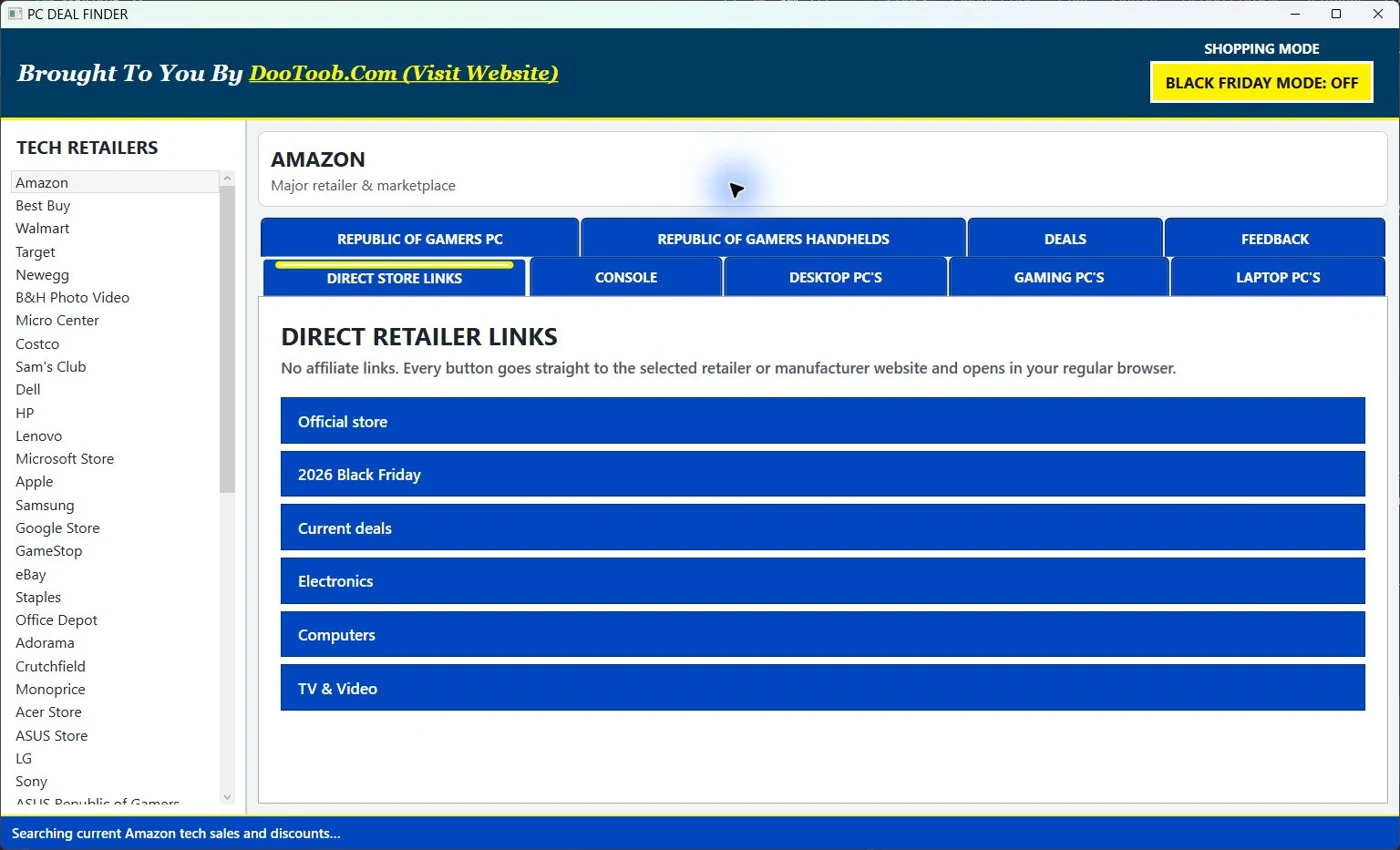
Choose Amazon, Best Buy, Walmart, Newegg, Micro Center or another supported retailer.
- 2
Open Direct Store Links for straight, non-affiliate retailer links, or choose Console, Desktop PC, Gaming PC, Laptop PC, ROG, Deals or Feedback.
- 3
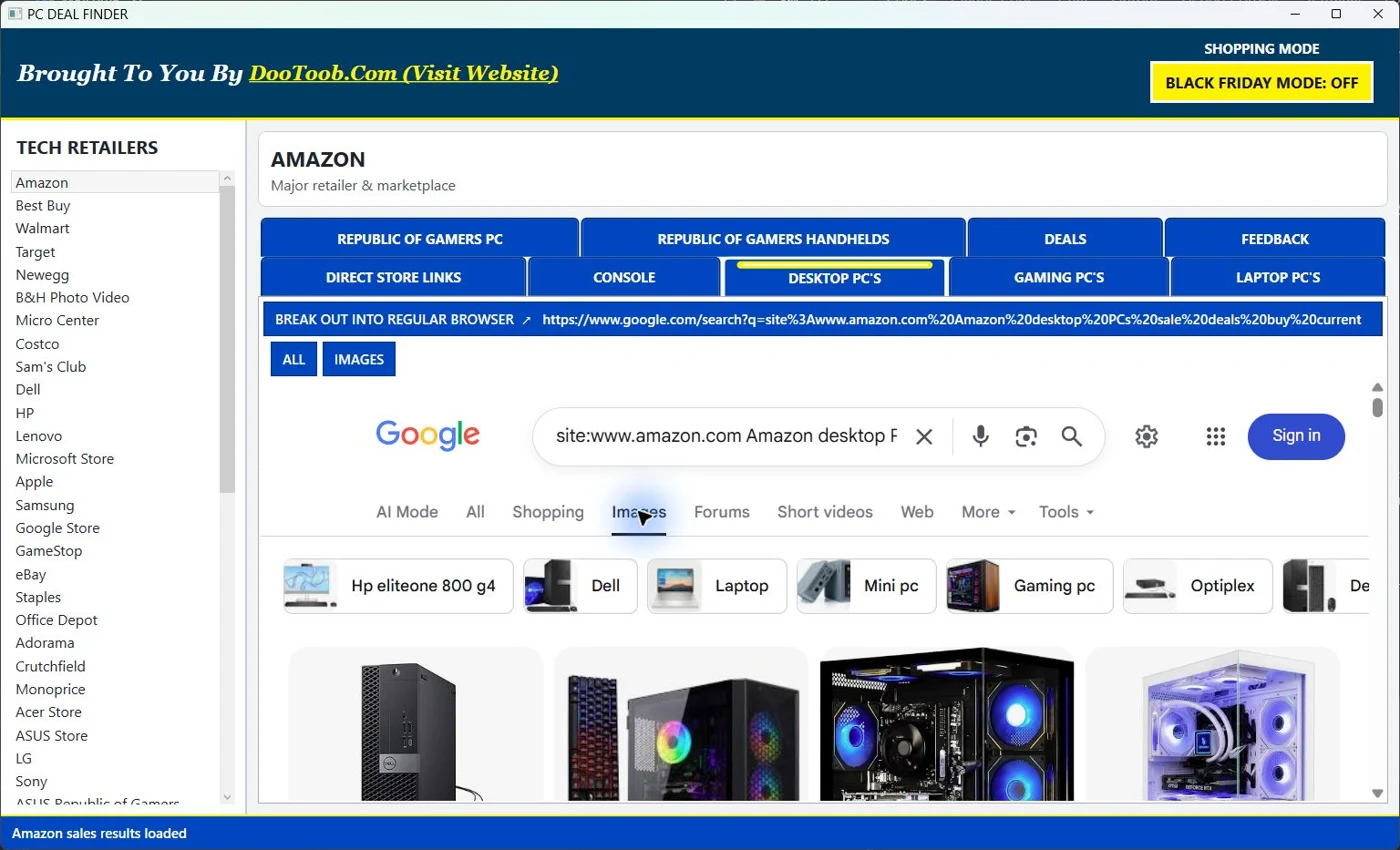
Select ALL for web results or IMAGES for a visual product search inside the app.
- 4
Turn on Black Friday Mode when seasonal deal hunting begins, or break the current search out into your regular browser.
Inside the app
See the workflow.
PC Deal Finder
Compare PC, gaming, laptop and console deals across 30+ major retailers—all in one Windows app.
View Store record (pending) ↗← Explore all Microsoft appsMore from DooToob